SeatCraftseating charts with rules Works offline No ads One-time price Try it free
For mixers, workshops, training sessions and classrooms

Set the rules once.
Charts in seconds.

Group or spread people by tag. Two people who must never sit together never do.
Last time's neighbors are kept apart where possible, and the chart and name cards print from the same screen.


Download on the App Store Get it on Google Play

Free for up to 20 participants, with every feature. No account needed.
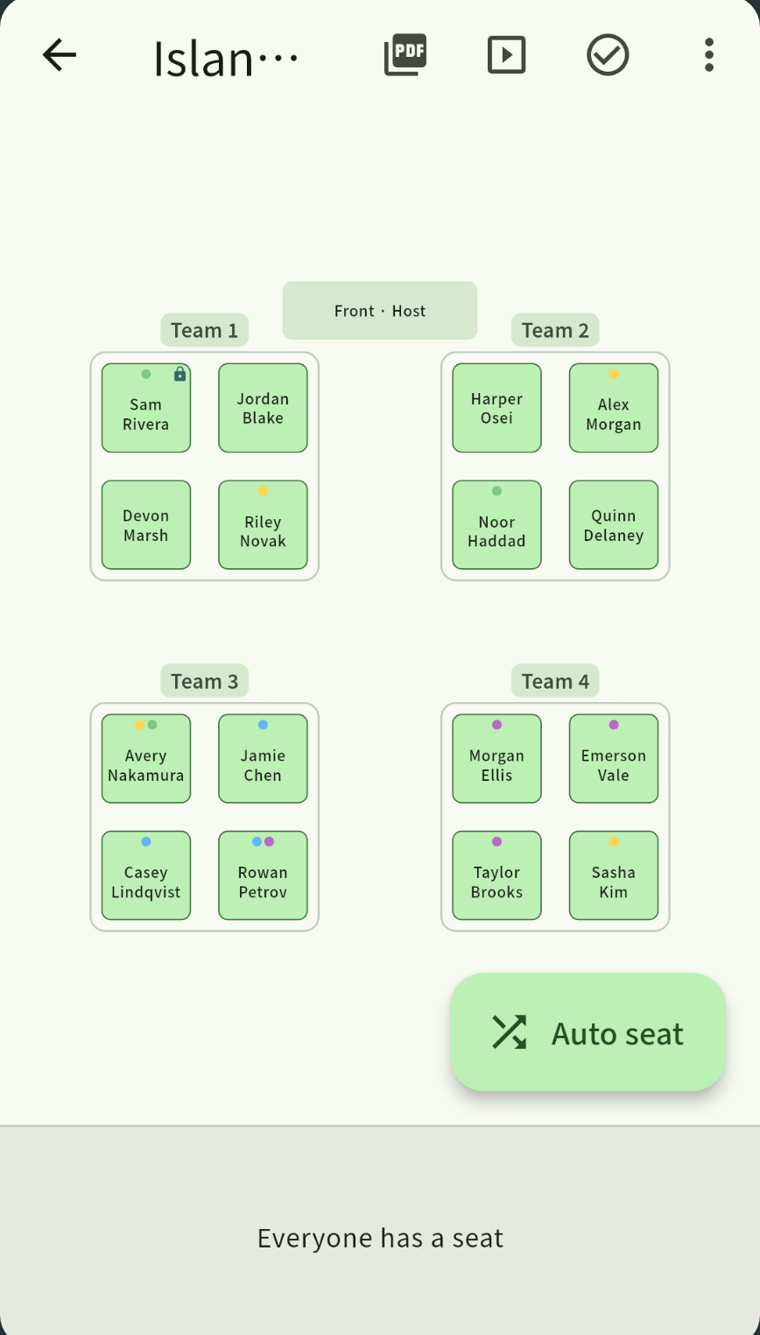
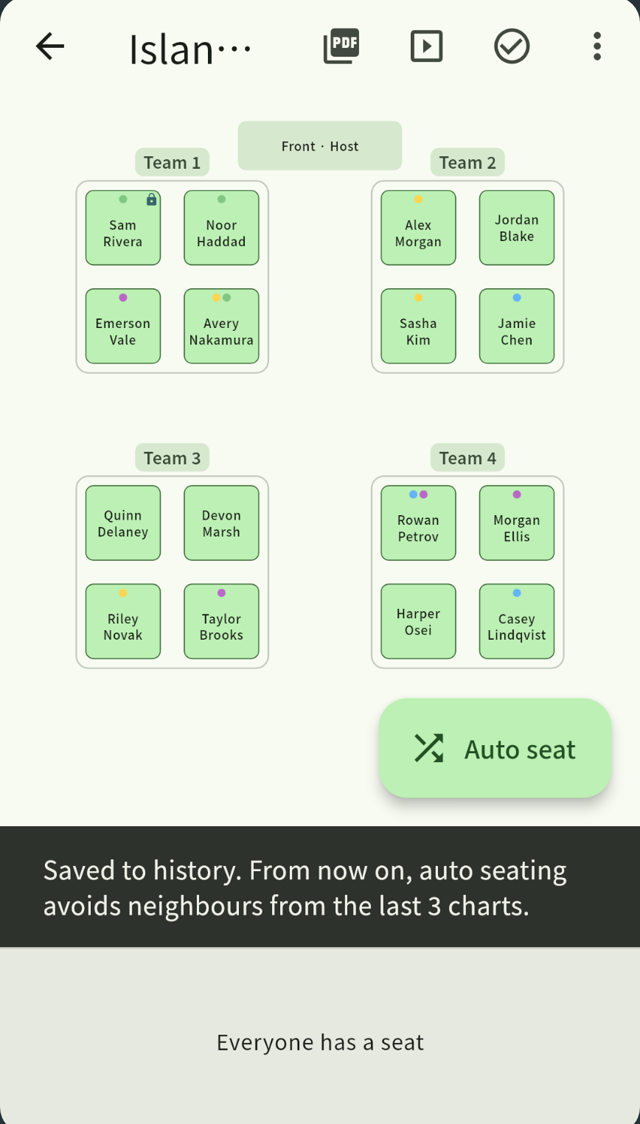
The SeatCraft seating chart: four islands of four, filled automatically, with tag colors on the seats

Does any of this sound familiar?

Too much to keep in mind, so it always runs late.

Balancing companies, teams and the people who should not sit together — by hand, with the list in front of you
"We were at the same table last time too" — again
The chart, the name cards and the roster are a second job, after the seating is done

What SeatCraft does

Set the rules, then the chart takes seconds.

1Spread the teams, keep the pairs together

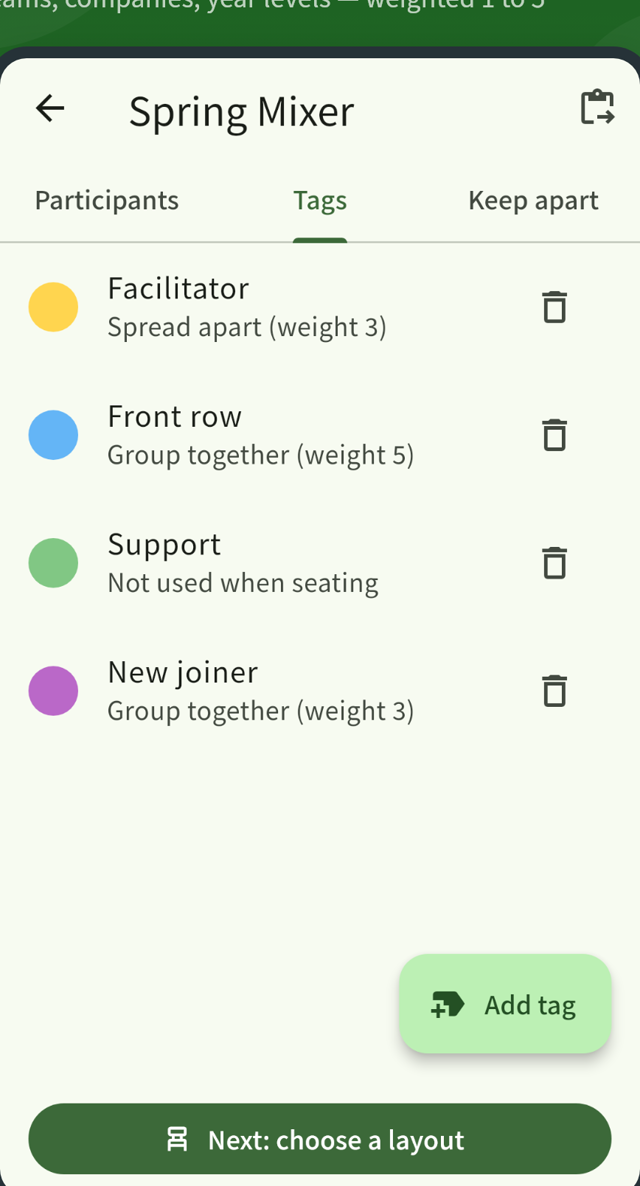
Tag people however you like, then tell each tag to group together or spread apart, with a strength from 1 to 5. Companies, departments, "needs the front row" — the things you actually care about become the seating.
Just shuffled
SeatCraft (spread apart)
The tag screen: each tag is set to group together or spread apart, with a weight

2These two are never seated together

A pair kept apart is an absolute rule, never a preference. If the rules cannot all be met, the app stops and names the pair in the way instead of quietly breaking one, so you are not left guessing.

For a softer wish, mark a pair as "keep apart if possible" instead.
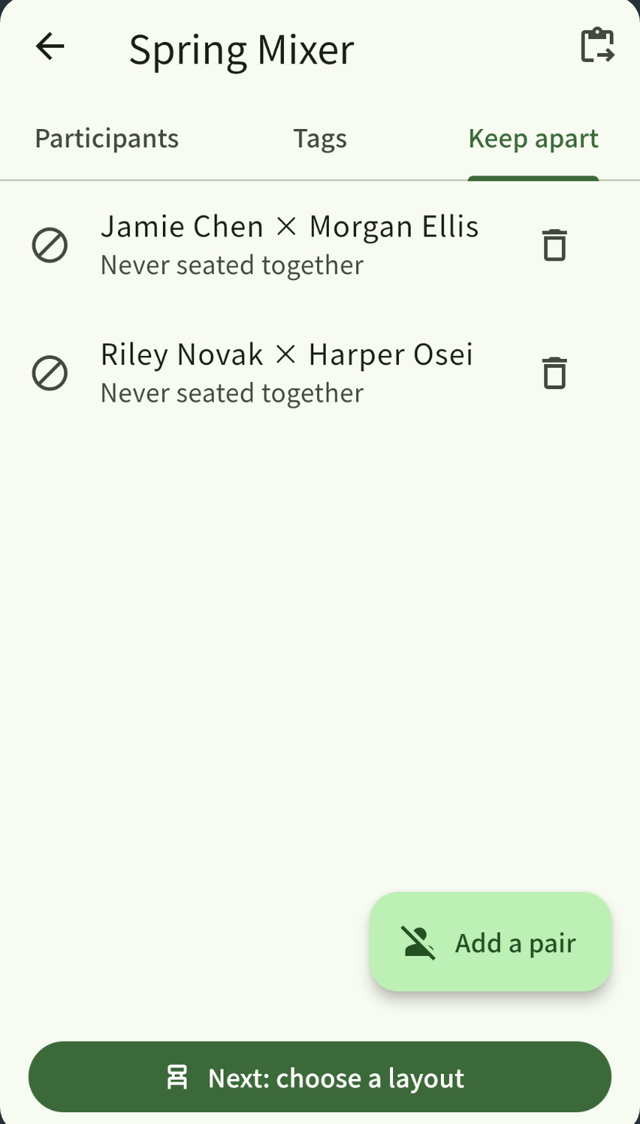
The screen for pairs kept apart, listing people who are never seated together

3Print it and walk into the room

The chart prints as a PDF on A4/A3 or Letter/Tabloid, and splits over 2 or 4 pages for a big room. Name cards and rosters print from the same screen — once the seating is decided, the paperwork for the day is done.
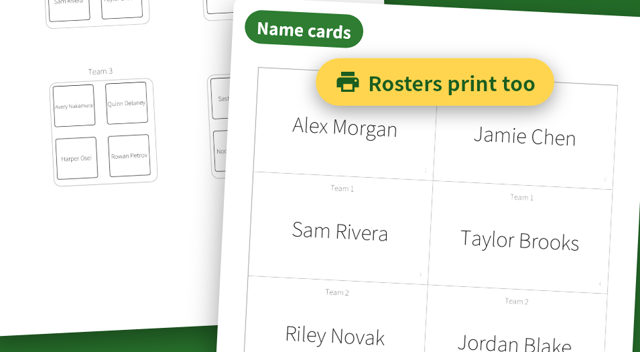
A printed seating chart and a sheet of name cards
Confirming a chart saves it, and the next one avoids those neighbors

Not the same neighbor again

Confirm a chart and it is remembered. The next one keeps those pairs apart where it can — the last 0 to 10 charts, three by default. "Same table again" becomes rare.
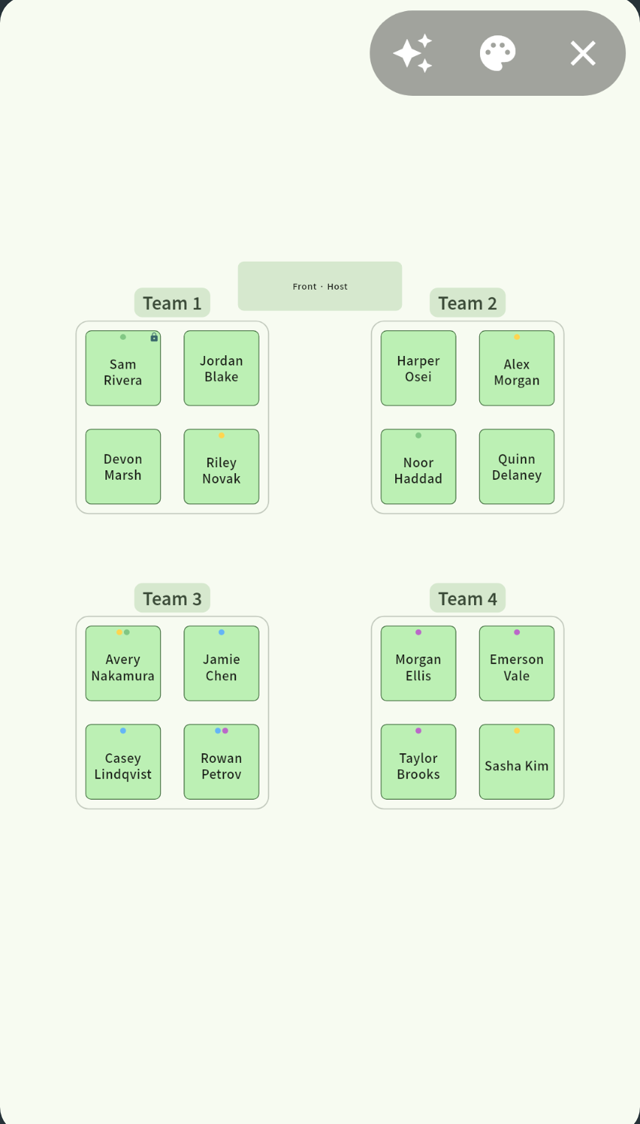
Presentation mode: the seating chart in large type for a projector

Put it on the projector

Presentation mode is big type and nothing else. Reveal the names table by table or seat by seat if you want a moment of suspense — it works in a classroom and in a hall.

Layouts come as presets

Pick the shape of the room.

Rows facing front
Paired desks
Islands
Circle / round table
U-shape
Hollow square

Rows, columns, the number of islands and the seats per table are all adjustable. For round tables and hollow squares you can choose what counts as a neighbor: the two people beside you, or the whole table. Tables with fewer chairs are handled by marking seats empty.

Features

Everything you need on the day.

Seating engineAbsolute rules first (pairs kept apart, pinned seats), then tags and history are optimized. Seconds, even for 100 people.
Avoid recent neighborsConfirmed charts are remembered; the last 0-10 of them (three by default) are avoided.
Pairs kept apart"Never" and "if possible". When the rules cannot all be met, the pair in the way is named.
TagsGroup together or spread apart, weighted 1 to 5. Teams, companies, anything you need to balance.
Pinned seats and areas"This person, this seat" or "somewhere near the front" - both are rules the engine keeps.
Manual edits and locksDrag anyone anywhere after generating. A locked seat stays put when you generate again.
Absences and empty seatsMark someone away with one tap. Spare seats, pillars and aisles can be marked empty.
Several rounds at onceBuild 2-5 rounds in one go, each avoiding the neighbors of the others.
Two-step for large groupsDecide who is at which table first, then let the app seat each table. For events past 100 people.
Seating chart PDFA4/A3 or Letter/Tabloid, split over 2 or 4 pages. Always drawn as the seated people see it.
Name cards and rostersCut-out cards, fold-to-stand table cards, and rosters by table or by seat.
Paste a listPaste from a spreadsheet to add everyone at once - tags come across too.
JSON backupExport and import to move everything to a new phone or a tablet.
Group namesNumbers, letters or your own. Call them teams, islands, tables or groups.
Presentation modeLarge type for a projector, with the option to reveal names table by table or seat by seat.
Try it free

All of it is free for up to 20 participants.

Where people use it

From a meeting room to a banquet hall.

Mixers and networkingSpread companies and departments across the tables, build several rounds at once, and print the name cards from the same screen.
Workshops and trainingBuild the breakout groups first, then let the app seat each group. Re-mix them between sessions.
ClassroomsA seat near the front, pairs to keep apart, balance by tag, and last time's neighbor avoided, in one pass.
Clubs and after-schoolAttendance changes daily; mark someone away with a tap. Group or spread year levels for activities.
Committee and board meetingsA hollow square or U-shape so everyone can see everyone, with fold-to-stand name cards for a room of strangers.

Built for lists of real people

Nobody's name leaves the device.

This is an app that holds lists of people, so where the data lives mattered more than anything. SeatCraft has no server.

On your device onlyRosters and charts are never sent anywhere. There is no server to send them to.
Works offlineEvery feature works with no connection. A hall with no signal is fine.
No advertisingNever on a screen full of names. There is no ad SDK in the app at all.
No accountNo sign-up, no login. Install it and start.

See the privacy policy for the details.

Price

Free for 20 people, with nothing held back.

Free
$0
  • Up to 20 participants
  • Every feature (PDF, name cards, history)
  • The 21st participant needs the full version
One-time, no subscription
Full version
$6.99once
  • Any number of participants
  • No further charges, no ads
  • Data stays on your device

Questions

How much is free?
Up to 20 participants, everything works: PDF export, name cards, avoiding recent neighbors. Nothing is held back. The purchase is only offered when you add the 21st person.
Is it a subscription?
No. It is a single purchase. Buy it once and there are no further charges, no subscription and no ads.
Does it work offline?
Yes. Every feature works with no connection, which matters in a hall with no signal. Only the purchase itself needs to reach the store.
Can I move everything to a new device?
Yes. Export a JSON backup and import it on the other device: rosters, tags, layouts and history all move. Building on a phone and projecting from a tablet works the same way.
Does it run on a tablet?
It runs on iPhone, iPad and Android phones and tablets. Projecting from a tablet is a supported way to use it.
Is it safe to type in real names?
Everything is stored on the device and never sent anywhere. There is no server, no analytics and no advertising. See the privacy policy for the details.

Free for 20 people, with nothing held back.

No account needed. Get it from your store.

Download on the App Store Get it on Google Play