Free round table seating chart template: print one for any number of tables
Published
A holiday party, a fundraiser, a conference dinner. Once there are round tables, you need a seating chart, place cards and a list for the check-in desk. This page makes a blank round table seating chart for exactly the number of tables you have, and has place card and guest list templates to go with it. No sign-up. Nothing you type is sent anywhere.
What you need for a seated event
When every guest has a table, three printouts make the day run smoothly.
| Printout | Where it goes | What matters |
|---|---|---|
| Seating chart | At the entrance or check-in | Shows where each table is in the room. Big, clear table numbers |
| Place cards | At each seat | Readable from across the table. Name, and the table number |
| Guest list by table | Check-in desk | Lets staff find a guest’s table quickly |
Round table seating chart maker
Enter the number of tables, seats per table and how many tables go across, and the chart is drawn below. Press “Print or save as PDF”, then choose “Save as PDF” as the printer if you want a file.
- Fewer guests at some tables? Cross out the seats you won’t use. A room with both 8 and 10-seat tables works the same way
- Lots of tables? Tabloid or A3 gives each seat more room to write in. You can also split the room over two sheets
- A long head table? This maker only draws round tables. Draw the long table in by hand above the round ones
Place cards and guest list templates (PDF)
Both come in US Letter and A4, ready to print.
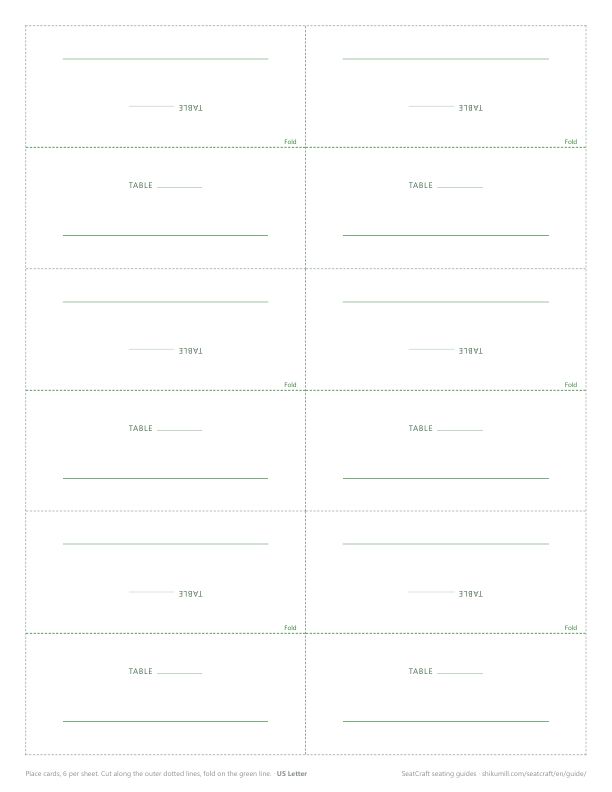
Place cards (fold to stand, 6 per sheet)
Cut along the dotted lines and fold on the green line. The top half is printed upside down, so once folded the name reads from both sides of the table. Write the table number on the small line.
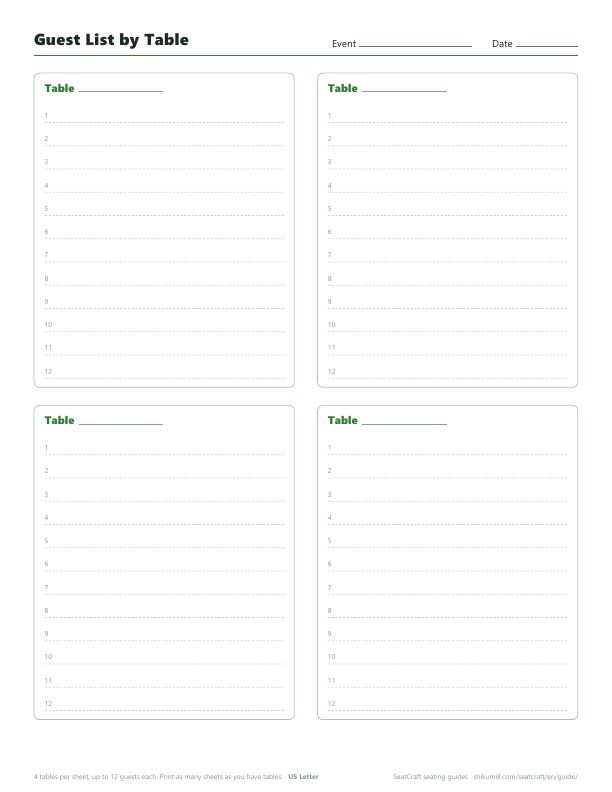
Guest list by table (4 tables per sheet)
Up to 12 guests per table. Print one sheet for every four tables and keep it at the check-in desk.
Tips for a round table seating plan
Count seats, not guests
Decide the table size first (8 and 10 are the most common for round tables), then the number of tables. Leave one or two seats free across the room for late changes. A table with an empty seat looks fine; a guest with no seat doesn’t.
Seat the fixed people first
Hosts, speakers and guests of honor usually sit near the stage. Put them in first, then fill the remaining tables.
Keep certain people apart, on purpose
Every event has a pair who shouldn’t share a table. At a round table everyone talks to everyone, so “not next to each other” isn’t enough: they need different tables. Write those pairs down before you start, and check them last, after every swap.
Mix, or group?
At a networking dinner or a company party, spreading teams and companies across the tables gets people talking. At a family celebration, people usually want to sit with the people they came with. Decide which one you want before you start moving names around. For a deeper look, see table assignments for parties and training days.
Use the same table names everywhere
The chart, the place cards, the guest list and the number on the table should all say the same thing: Table 3, not Table 3 on one and Table C on another.
Filling in the names automatically
With a blank template, the work is in writing every name out three times: on the chart, on the cards and on the list.
The seating chart app SeatCraft decides the tables for you and prints all three with the names already in.
- Round tables: choose the circle layout, enter the number of tables and seats, and set the whole table to count as neighbors
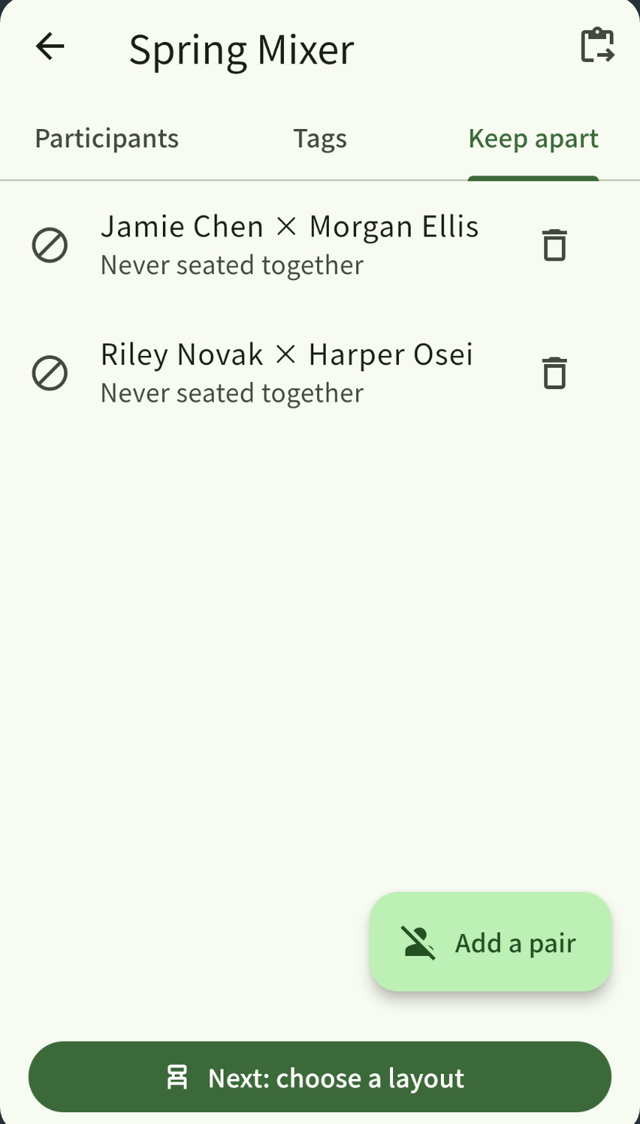
- Pairs kept apart: add two people as a pair and they always end up at different tables
- Spread out or group together: tag people by team, company or side, and choose whether each tag spreads across tables or groups together
- Fixed seats: pin hosts and guests of honor to a seat. Generate again and they stay put
- Different table sizes: tap unused seats to mark them empty
- Printing: the seating chart PDF (US Letter, Tabloid, A4 or A3), fold-to-stand name cards with the table name on them, and a guest list for each table
Paste your guest list from Excel or Google Sheets to add everyone at once.
Everything stays on your device and is never sent anywhere. Every feature is free for up to 20 people. Larger events need the full version, a one-time purchase with no subscription.
Related guides
From table assignments to name cards, in one app.
SeatCraft seats parties, workshops and training days as well as classrooms (iPhone, iPad and Android). Every feature is free for up to 20 people. Larger groups need the full version, a one-time purchase with no subscription.