
How to time a short pitch: what to say in 1, 3 or 5 minutes
Published ・ Updated
“Three minutes each, please.” Somehow it turns into five. Short pitches rarely run long because the speaker has too much to say. They run long because nobody decided how to split the time. This guide gives a simple plan for 1, 3 and 5-minute slots: what to say, in what order, and how many words to write.
How much fits in each slot
At a relaxed pace, most people speak about 130 words a minute. If you write a script, keep it under 130 words per minute of speaking time. It will feel short on paper, and just right out loud.
| Time slot | Script length | What fits |
|---|---|---|
| 1 minute | 110–130 words | Your name and what you do, one thing you want people to remember, and who you’d like to meet |
| 3 minutes | 350–400 words | All of the above, plus one concrete example and a clear ask |
| 5 minutes | 600–650 words | All of the above, plus the background or the problem, and a second example |
A 3-minute pitch in four parts
Three minutes is the most common slot at networking events. Splitting it into four parts makes it easy to keep track of time.
- Who you are (30 seconds): your name, your company, what you do
- The problem you solve (60 seconds): who your customers are and what you fix for them
- One real example (60 seconds): a short story about an actual customer
- Your ask (30 seconds): “I’d love an introduction to…”, “I’m looking to meet…”
Leave out the ask and the audience has no idea what to do next. If you’re running out of time, cut something else, but keep the ask.
Tips for a 1-minute introduction
- Pick one thing. Try to say everything and nothing sticks
- End with who you’d like to meet
- Anything already on your business card or flyer doesn’t need to be said out loud
Preparing to finish on time
- Time yourself reading it out loud, at least once. Reading aloud always takes longer than reading in your head
- Decide what to cut first. If the session is running late, you’ll know what to skip without panicking. Details of the example go first, then the background
- Agree on a time signal. If you’ve decided “at 30 seconds left, I move to my ask”, you can switch the moment you see the signal
Keeping time on the day
Whether speakers finish on time depends mostly on whether they can see the time left. A timer placed where the speaker can see it works far better than a host watching a stopwatch and waving.
If the venue has a monitor or projector, you can also show our free browser-based giant countdown timer on it.
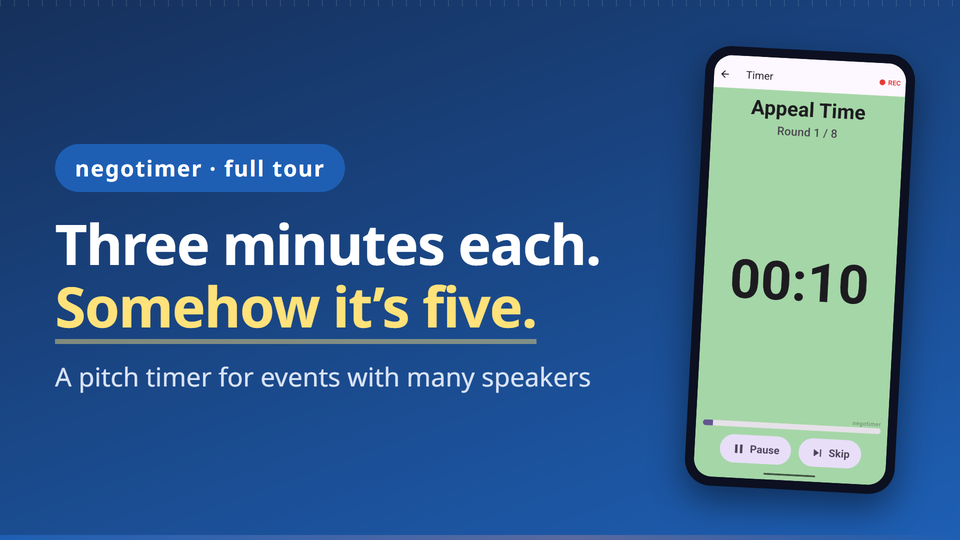
negotimer is a presentation timer for iPhone and Android, made for pitch nights, meetups and networking events with many short talks.
 ▶ Watch the video tour
- Set the pitch, Q&A and changeover times once, and it moves on automatically when time is up, speaker after speaker
- A beep at ten seconds left, a 3-2-1 countdown and an end alarm. The screen turns green with ten seconds to go and yellow for the last three, so speakers only need a glance
- Save as many run sheets as you like, such as “Pitch Night – 3 minutes”, and start one with a tap
Every timer feature is free, with a banner ad at the bottom of the screen. Per-speaker recording is Pro, a one-time purchase with no subscription.
Summary
- Keep your script under 130 words per minute
- For 3 minutes: who you are 30 s, the problem 60 s, an example 60 s, your ask 30 s
- Decide what to cut first, and agree on a time signal
Related guides
Talks and Q&A, timed for you.
negotimer is a presentation timer for iPhone and Android. Every timer feature is free, with a banner ad at the bottom. Per-speaker recording is Pro, a one-time purchase with no subscription.